 Learn Kanji
For Windows and your browser · Made for your pen
Learn kanji by writing them
Write each kanji with your pen, stroke by stroke. Learn Kanji checks every stroke as you write, brings each kanji back just before you would forget it, and puts it to work in seven games.
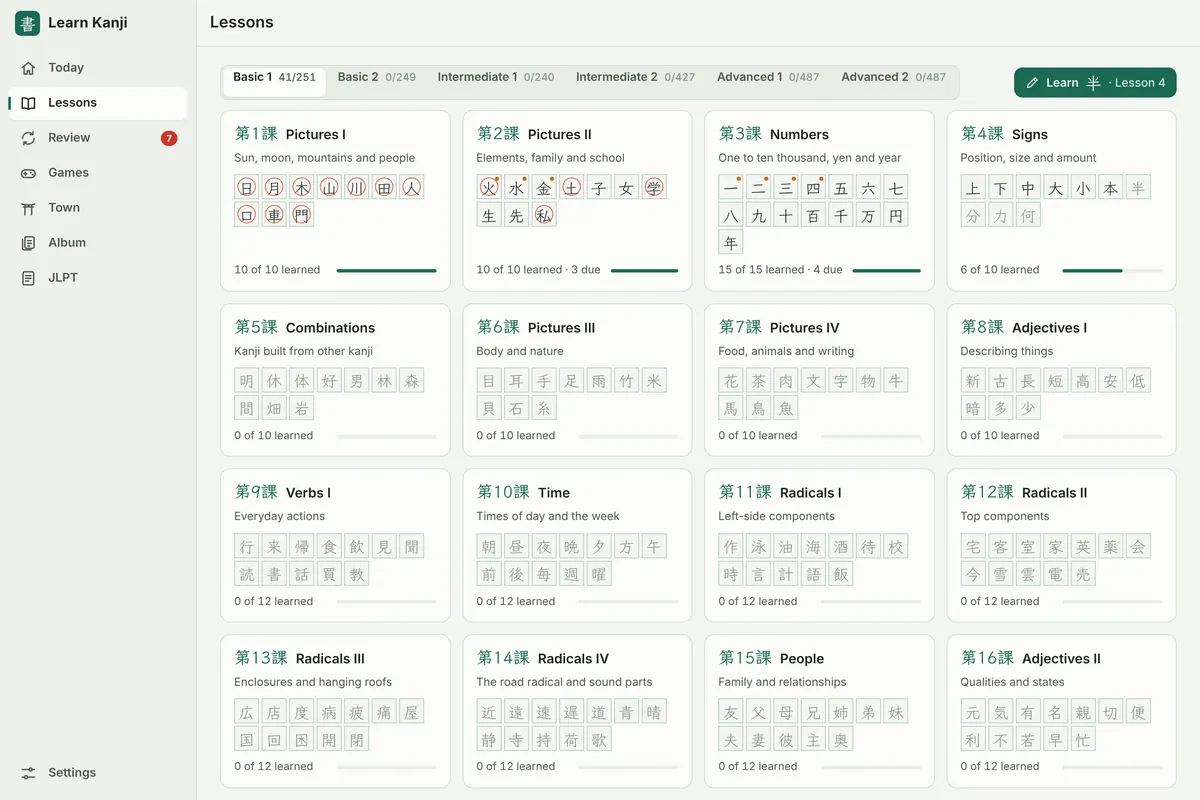
- 2,141kanji, every jōyō kanji included
- 7games, one journey
- N5–N1JLPT practice
How it works
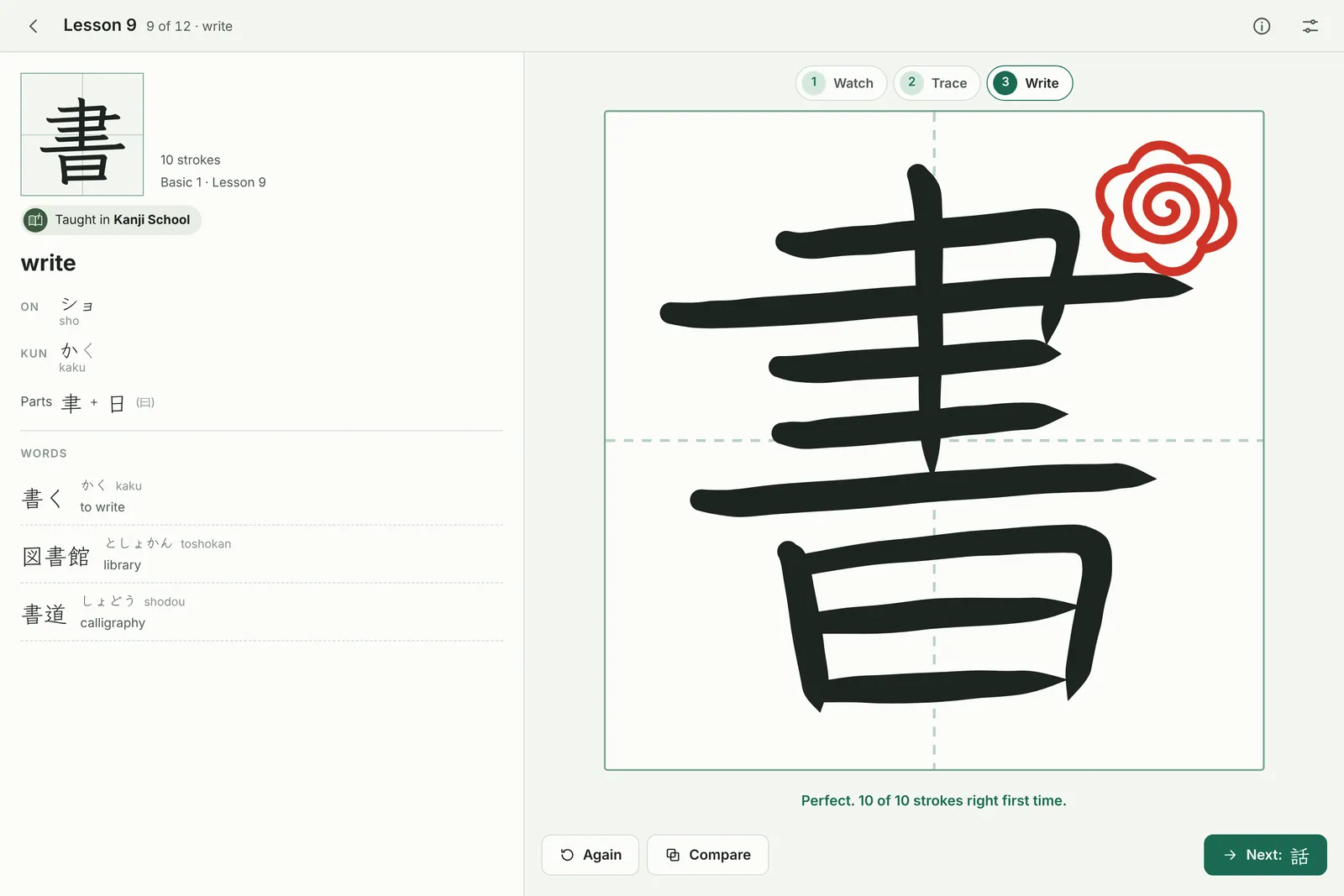
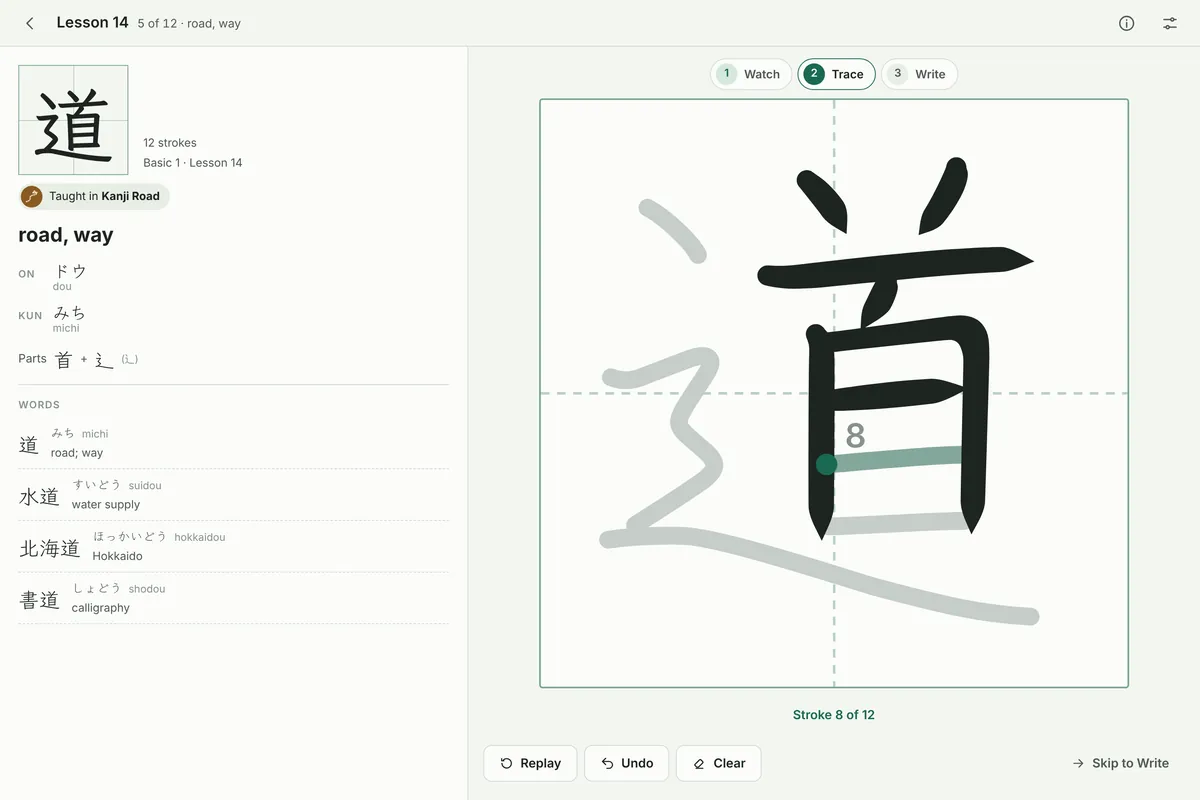
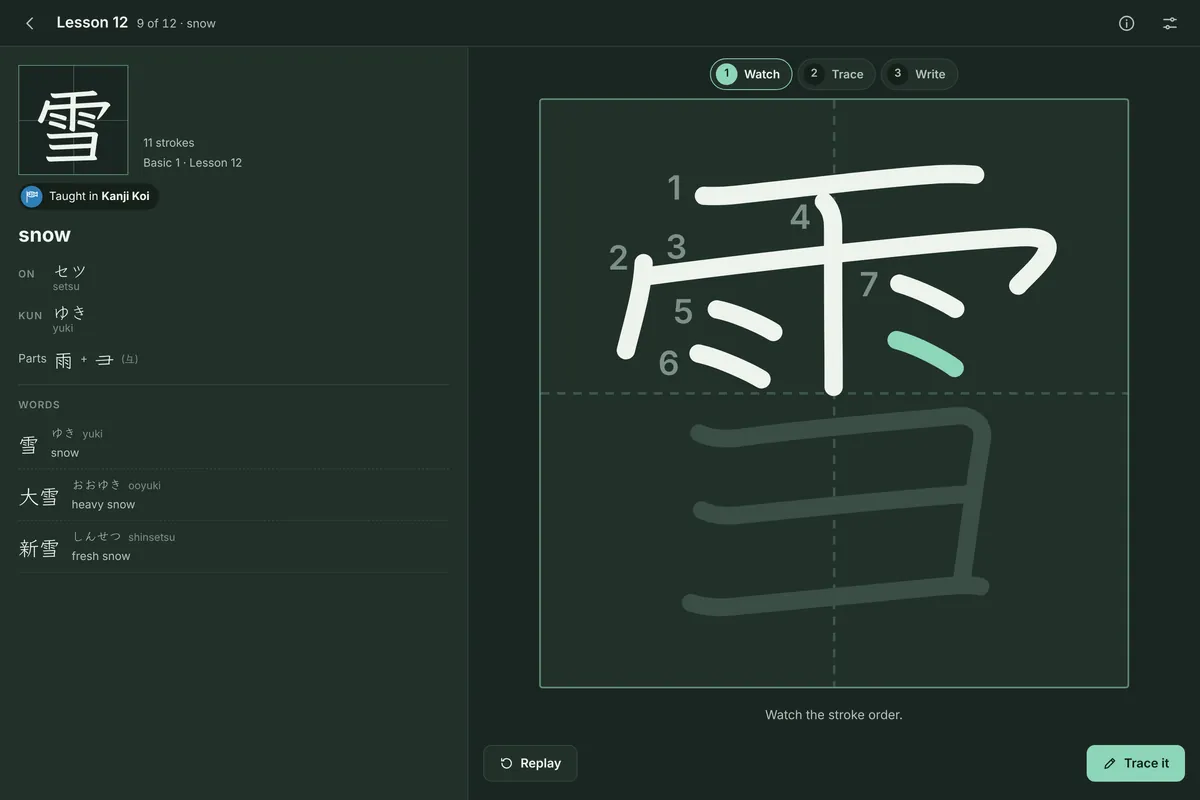
Watch, trace, write from memory
The way Japanese children learn kanji, with a patient teacher checking every stroke.
Every stroke checked
Order, direction and shape are checked as you write, and a red-pen mark grades each kanji, from a flower circle to a triangle.
Every jōyō kanji
2,141 kanji in six levels, each taught once: all 2,136 jōyō kanji and five more from the Intermediate books. Basic and Intermediate follow Basic Kanji Book and Intermediate Kanji Book, so you can keep in step with a class.
Reviews that stick
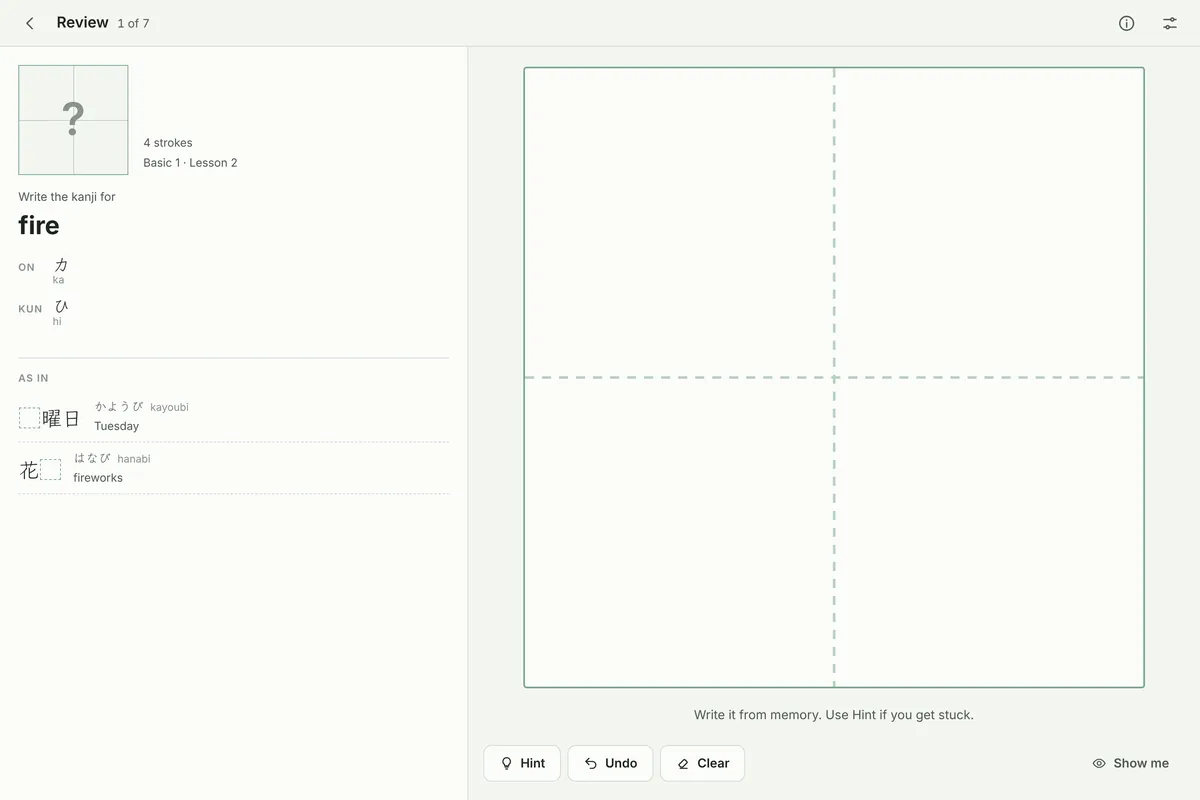
Each kanji comes back just before you would forget it: often while it is new, then less and less as you remember it.
Ready for the JLPT
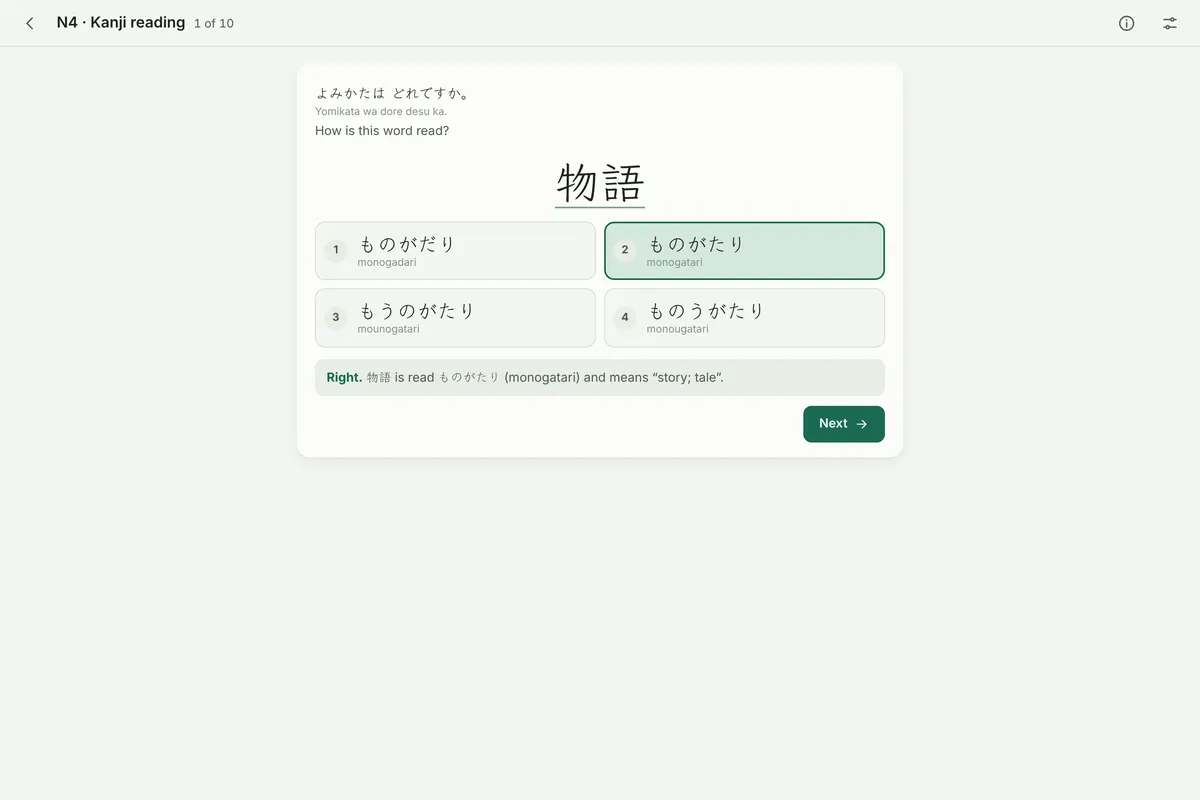
Choose a JLPT level from N5 to N1, or your course level, and everything keeps to it. Practise the test's two kinds of kanji question, with a timed test.
No kana needed
Every reading also shows in romaji, so you can start before you read hiragana and katakana. Switch it off when you are ready.
Offline and private
No account, no ads, no tracking. Your progress stays on your device, and you can save a backup whenever you like.
Seven games, one journey
Play the kanji you learn
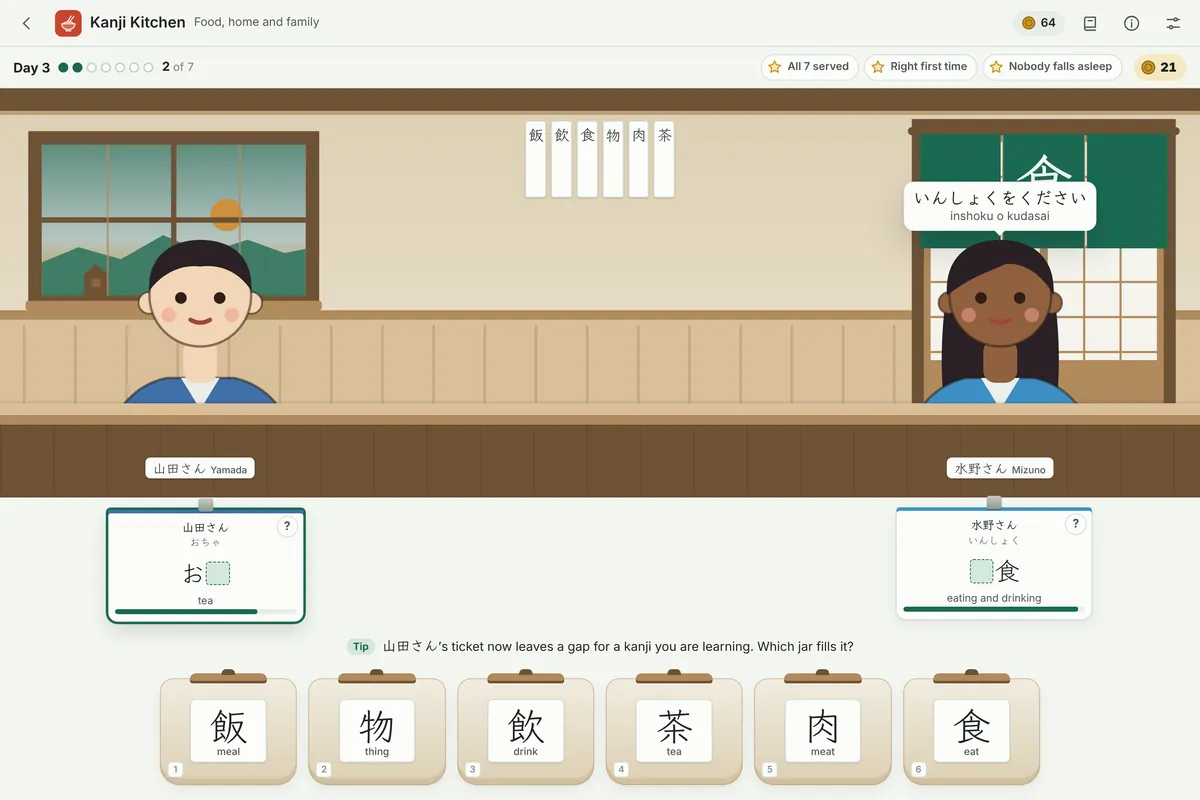
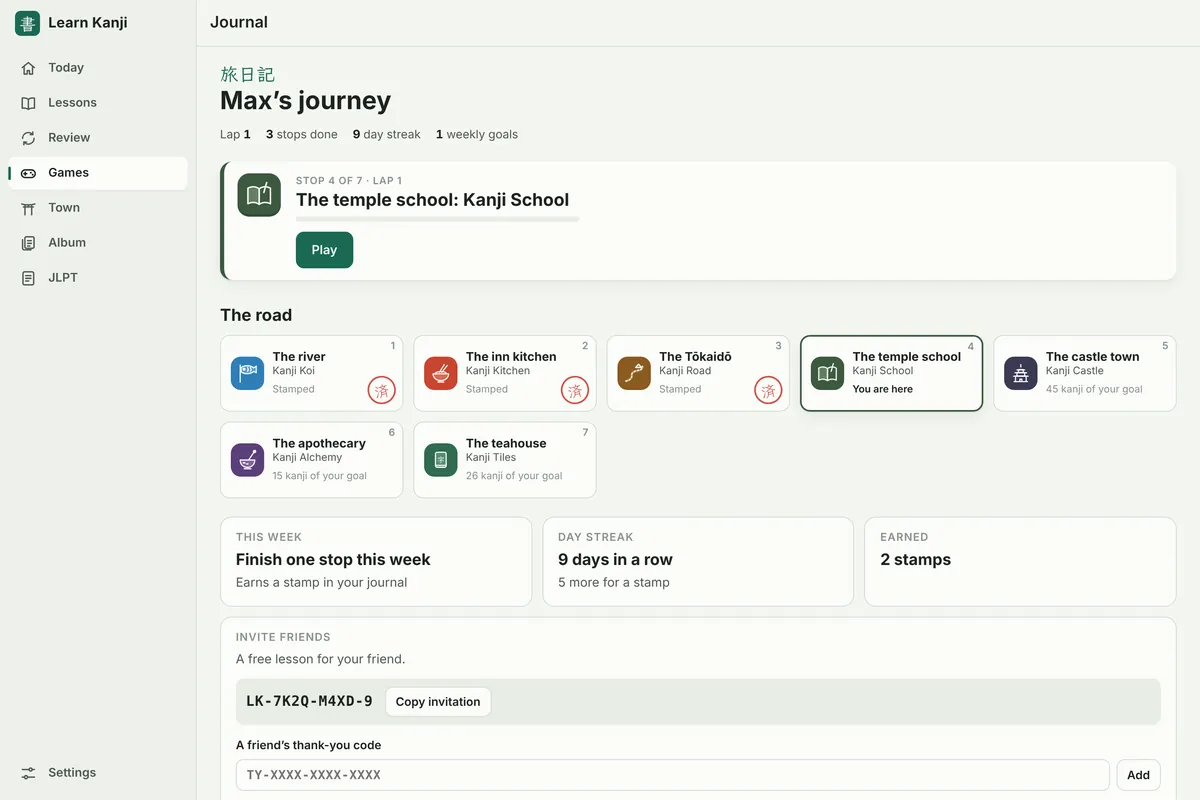
Seven games use your kanji, each in its own corner of old Japan, with stars to win in every round, a daily challenge, missions and a traveller rank. Played in order, they are one journey, from the river to the teahouse.
Something to come back for
Your town, your cards, a puzzle a day
Every round you play builds something that stays.
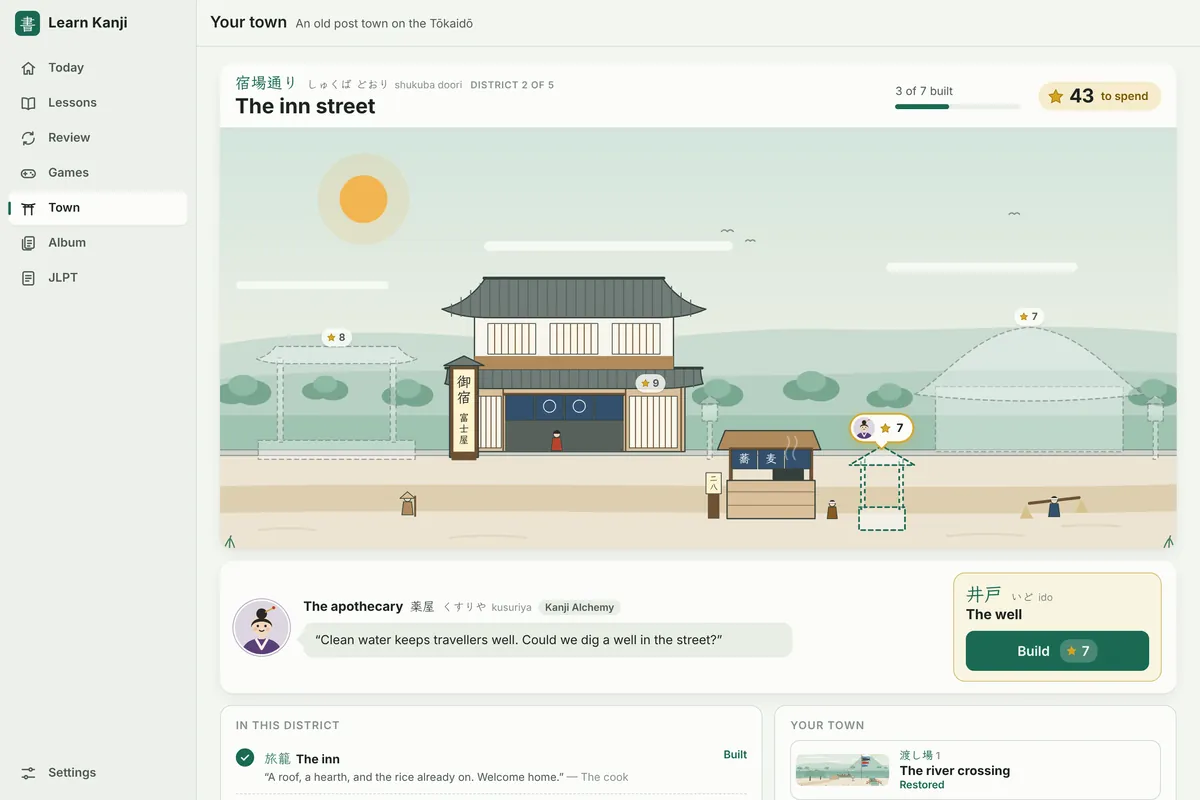
Rebuild a post town
Every star you win goes to an old post town on the Tōkaidō: the ferry landing, the inn, the temple school, the castle gate and, at last, the festival.
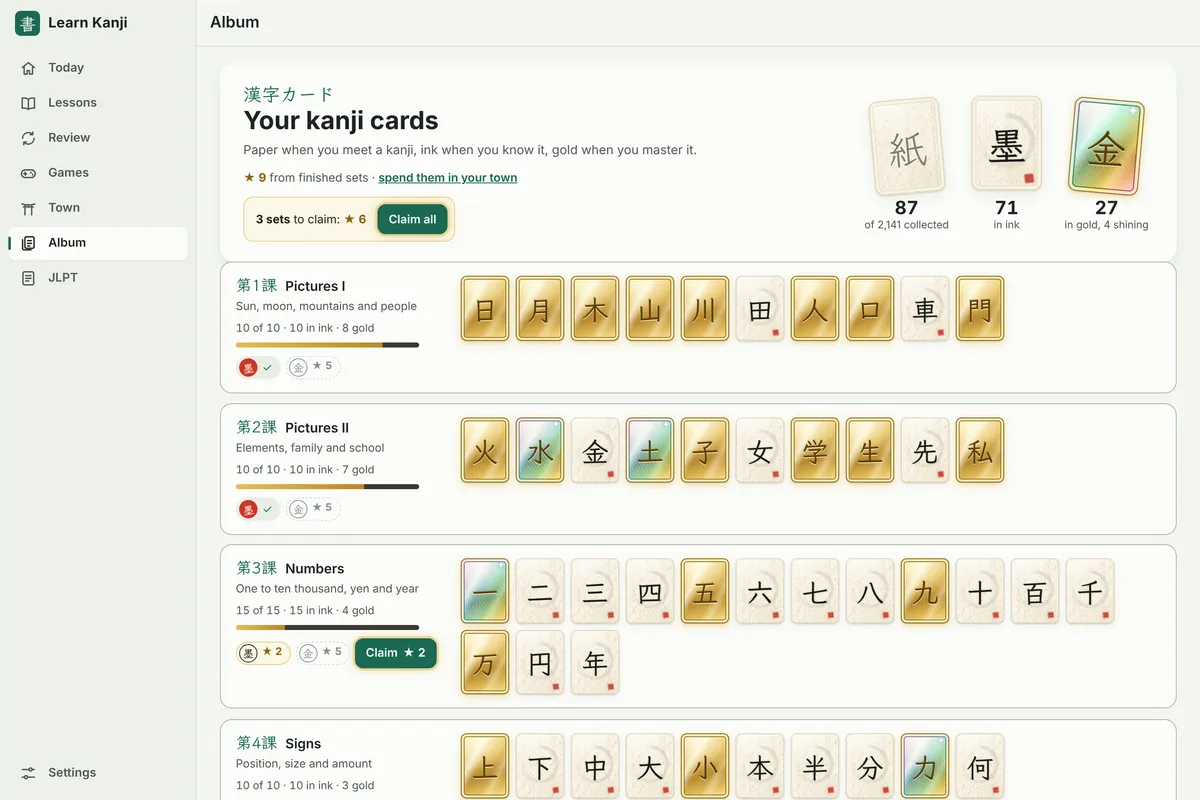
Collect every kanji
Each kanji is a card: paper when you meet it, ink when you know it, gold when you master it. Some gold cards shine, and you only find out which when they turn.
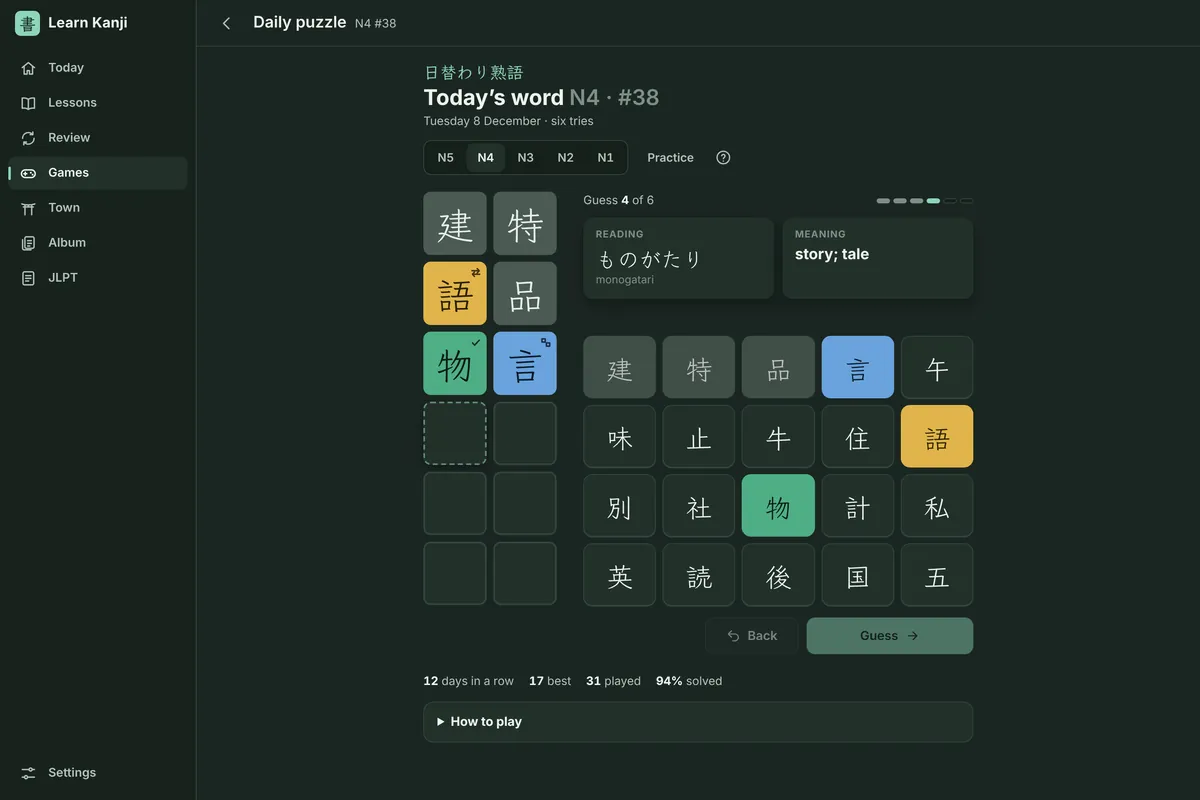
A kanji puzzle a day
One two-kanji word a day for your JLPT level, the same for everyone. Find it in six tries, keep your streak, and share your result.
Free to start
Start with Basic 1, go further with Full
Basic 1 is free, with its lessons, reviews, games and JLPT N5 practice. Learn Kanji Full opens all 2,141 kanji, every game and JLPT practice from N5 to N1.
Free
€0
Basic 1: 251 kanji, with their games and JLPT N5 practice. Earn more lessons on your journey.
Yearly
€19.99a year
Everything. The first week is free; cancel any time.
Monthly
€2.99a month
Everything, month by month; cancel any time.
Lifetime
€39.99once
Everything, for good. One payment, no subscription.
Prices in euros. In the Windows app, the Microsoft Store shows the price in your currency and handles every purchase, and subscriptions renew until you cancel them in your Microsoft account. In your browser, Gumroad handles the purchase and adds tax where it applies, and you enter the license key from your receipt in the app; subscriptions renew until you cancel them from your Gumroad receipt. A purchase in one does not open the other. The free trial is once per customer.
Questions
Good to know
Do I need a pen?
No. Learn Kanji is made for a pen, like the Surface Pen, an Apple Pencil on an iPad or any pen your device supports, but it also works with a finger on a touch screen, or with a mouse. With a pen you can rest your palm on the screen; on Windows you can also flip the pen to erase, and hold its side button for a hint.
Which devices does it run on?
Windows 10 and Windows 11 PCs, tablets and 2-in-1s, from the Microsoft Store. On a Mac, an iPad, an Android tablet or phone, or a Chromebook, use it in your browser, and install it from the browser's menu (on an iPad: Share, then Add to Home Screen). Once installed it works offline.
Do I have to know hiragana and katakana?
No. Every reading is also shown in romaji, so you can start before you read kana, and switch romaji off later.
Can I use it with my class?
Yes. The Basic and Intermediate levels follow the lesson order of Basic Kanji Book and Intermediate Kanji Book. Set your course level as your goal, and stop at the lesson your class has reached. Learn Kanji is not affiliated with the books' publisher.
What happens if I cancel my subscription?
Full stays open until the end of the time you have paid for. After that, Basic 1, the lessons you have earned and your progress all stay. Cancel any time at account.microsoft.com/services, or, in your browser, from the link in your Gumroad receipt.
Is my progress private?
Yes. Learn Kanji works offline and keeps your progress on your device. It has no account, no ads and no tracking. See the privacy policy.
Used the earlier web version of Learn Kanji?
It kept your progress in the browser you used it in, at maximsf08.github.io/learn-kanji. Open that address in the same browser: it brings your progress here, or saves it as a backup file for the Windows app.
Write your first kanji today
Basic 1 is free. Lesson 1 starts with 日, the sun.
Get it from the Microsoft StoreNot on Windows? Use it in your browser.